How Hand Positioning During Smartphone Use Affects Neck Alignment and Simple Adjustments That Prevent Text Neck Within Two Weeks
Emily Rodriguez
06/04/2026
4 min read
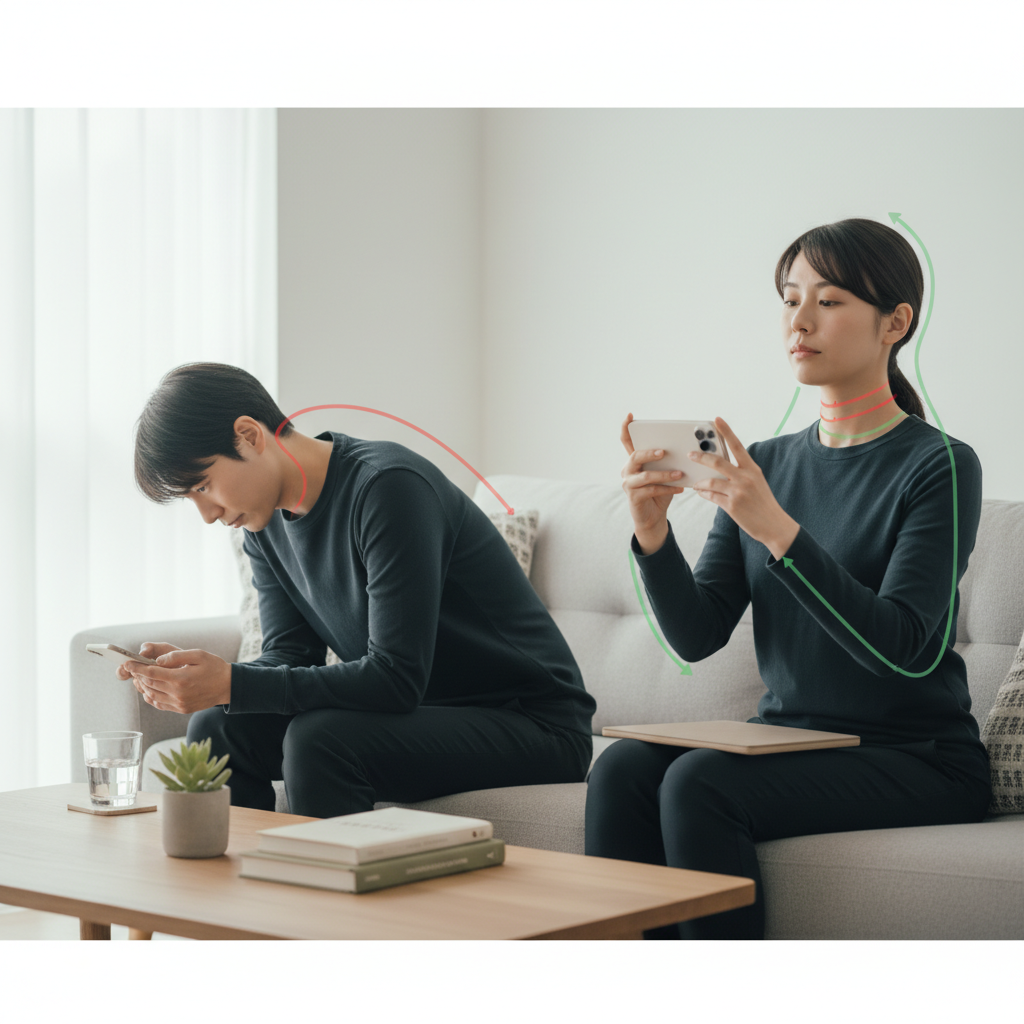
Your phone weighs less than a pound, yet holding it incorrectly for hours each day can create lasting changes to your cervical spine alignment. The way you position your hands while texting, scrolling, and browsing determines whether your neck maintains its natural curve or gradually shifts into the forward head posture that characterizes text neck syndrome.
Most smartphone users unconsciously adopt hand positions that force their head forward and down, creating a chain reaction of muscle tension and spinal misalignment. Understanding how different grip patterns affect your neck positioning gives you the power to prevent discomfort before it becomes chronic pain.
Hold Your Phone at Eye Level During Extended Use
Raising your phone to eye level eliminates the need to crane your neck downward while reading or watching videos. This position requires engaging your arm muscles rather than compromising your cervical spine alignment. Start by practicing this elevated position during longer activities like watching YouTube videos or reading articles. Your shoulders may feel tired initially as the muscles adapt to supporting your arms in this position, but this temporary discomfort prevents long-term neck strain.
Switch Between One-Handed and Two-Handed Grips Regularly
Alternating your grip style throughout the day prevents muscle fatigue patterns that contribute to text neck development. Single-handed use often causes your head to tilt toward the holding hand, while two-handed gripping encourages a more centered head position. Set reminders to consciously switch your grip every 15-20 minutes during extended phone sessions. Companies like Apple and Samsung have designed their newer models with features that accommodate both grip styles, making transitions smoother.
Use Your Non-Dominant Hand for Light Scrolling Tasks
Training your non-dominant hand to handle simple scrolling and tapping creates more balanced muscle engagement across your neck and shoulders. This technique feels awkward initially but develops coordination while giving your dominant side regular breaks. Practice using your non-dominant hand for activities like checking social media feeds or browsing news apps where precision isn't critical. The mental focus required to coordinate your non-dominant hand also naturally slows your scrolling speed, reducing overall screen time.
Position Your Elbows Close to Your Body
Keeping your elbows tucked near your sides while holding your phone reduces strain on your upper trapezius muscles and prevents your shoulders from rolling forward. When your arms extend away from your torso, your neck compensates by jutting forward to maintain visual contact with the screen. Practice the "penguin position" where your upper arms remain vertical while only your forearms angle upward to support the phone. This alignment maintains your natural spinal curves while reducing muscle tension.
Take Micro-Breaks Every 20 Minutes to Reset Alignment
Brief movement breaks interrupt the sustained muscle contractions that lead to text neck symptoms. Set your phone timer for 20-minute intervals and use each break to perform simple neck resets like gentle chin tucks or shoulder blade squeezes. These micro-breaks don't need to last longer than 30 seconds to be effective. Research from physical therapy clinics shows that frequent short breaks prevent muscle fatigue more effectively than longer breaks spaced further apart.
Support Your Phone-Holding Arm with the Other Hand
Using your free hand to support the elbow of your phone-holding arm reduces the muscular effort required to maintain proper positioning. This technique works especially well when reading longer articles or during video calls where you need sustained phone positioning. Place your supporting hand under or beside the working elbow, creating a stable platform that reduces tremor and fatigue. Physical therapists at the Cleveland Clinic recommend this technique for patients recovering from repetitive strain injuries.
Practice the "Chin Tuck" Exercise Between Phone Sessions
The chin tuck movement directly counteracts the forward head posture created by looking down at phones. Perform this exercise by gently drawing your chin backward while lengthening the back of your neck, as if someone is pulling you up by the crown of your head. Hold this position for 5-10 seconds and repeat 5-10 times between phone sessions. This simple movement retrains the deep neck flexor muscles that support proper cervical alignment and helps reverse early stages of text neck syndrome.
Adjust Your Phone's Text Size and Brightness Settings
Increasing text size reduces the need to hold your phone closer to your face, while proper brightness settings prevent squinting that creates additional neck tension. Most smartphones allow text scaling up to 150% of default size without affecting app functionality. Optimize your brightness to match your surrounding environment rather than using maximum brightness in all settings. These adjustments reduce eye strain and allow you to maintain better posture while still seeing content clearly.
The habits you build around smartphone use today will determine your neck health for decades to come. Small adjustments in hand positioning and regular movement breaks can prevent the chronic pain that affects millions of daily device users. Your neck's natural alignment is remarkably adaptable, and consistent attention to these positioning principles will restore healthy movement patterns within just a couple of weeks.