How Screen Work Eye Movement Patterns Cause Digital Eye Strain and Simple Exercises That Restore Comfort
Emily Rodriguez
04/15/2026
5 min read
Your eyes weren't designed for the repetitive, limited movement patterns that modern screen work demands. Unlike natural vision, which involves constant scanning, focusing at varying distances, and regular blinking, digital device usage restricts eye movement to a narrow range while reducing blink rates by up to 60 percent.
This fundamental mismatch between evolutionary eye function and contemporary work habits creates a cascade of visual symptoms that affect millions of professionals daily. The concentrated focus required for reading small text, combined with the static positioning of screens, forces your eye muscles into prolonged states of tension that would never occur in natural environments.
Start With Deliberate Distance Shifting Every 20 Minutes
The 20-20-20 rule remains the foundation of digital eye strain prevention, but most people apply it incorrectly. Every 20 minutes, look at something at least 20 feet away for at least 20 seconds, but make this time active rather than passive. During these breaks, consciously shift your focus between objects at different distances - first the far target, then something at mid-range, then close up again. This exercises the ciliary muscles that control your lens shape, preventing the fatigue that occurs when they're locked in close-focus position for extended periods.
Practice Conscious Blinking to Restore Tear Film
Screen work reduces your natural blink rate from approximately 15 blinks per minute to just 5-7 blinks per minute. These reduced blinks are often incomplete, failing to fully spread the tear film across your cornea. Set a gentle reminder to perform deliberate, complete blinks every few minutes throughout your workday. Close your eyelids fully, hold for a half-second, then open slowly. This complete blink sequence helps redistribute natural oils from your meibomian glands and ensures proper corneal hydration. Apps like Stretchly or EyeCare can provide subtle prompts without disrupting your workflow concentration.
Adjust Your Screen Position to Encourage Natural Eye Movement
Position your primary monitor so the top of the screen sits at or slightly below eye level, creating a natural downward gaze angle of 10-20 degrees. This positioning reduces strain on both your neck muscles and the levator muscles that lift your upper eyelids. Place secondary screens at different heights and distances to encourage varied eye movements throughout the day. If you use multiple monitors, arrange them in a gentle curve rather than a straight line, which promotes more natural scanning patterns and reduces the extreme lateral eye movements that contribute to muscle fatigue.
Incorporate Figure-8 Eye Tracking Movements
During your screen breaks, perform slow figure-8 tracking movements to exercise all six extraocular muscles that control eye movement. Imagine a large figure-8 lying on its side about arm's length in front of you, then slowly trace this pattern with your eyes for 30 seconds in each direction. This exercise counters the repetitive horizontal scanning that dominates reading and helps maintain smooth pursuit movement capabilities. The curved tracking motion engages muscle groups that remain largely inactive during typical screen work, promoting better coordination between both eyes.
Use the Palming Technique to Reset Eye Muscle Tension
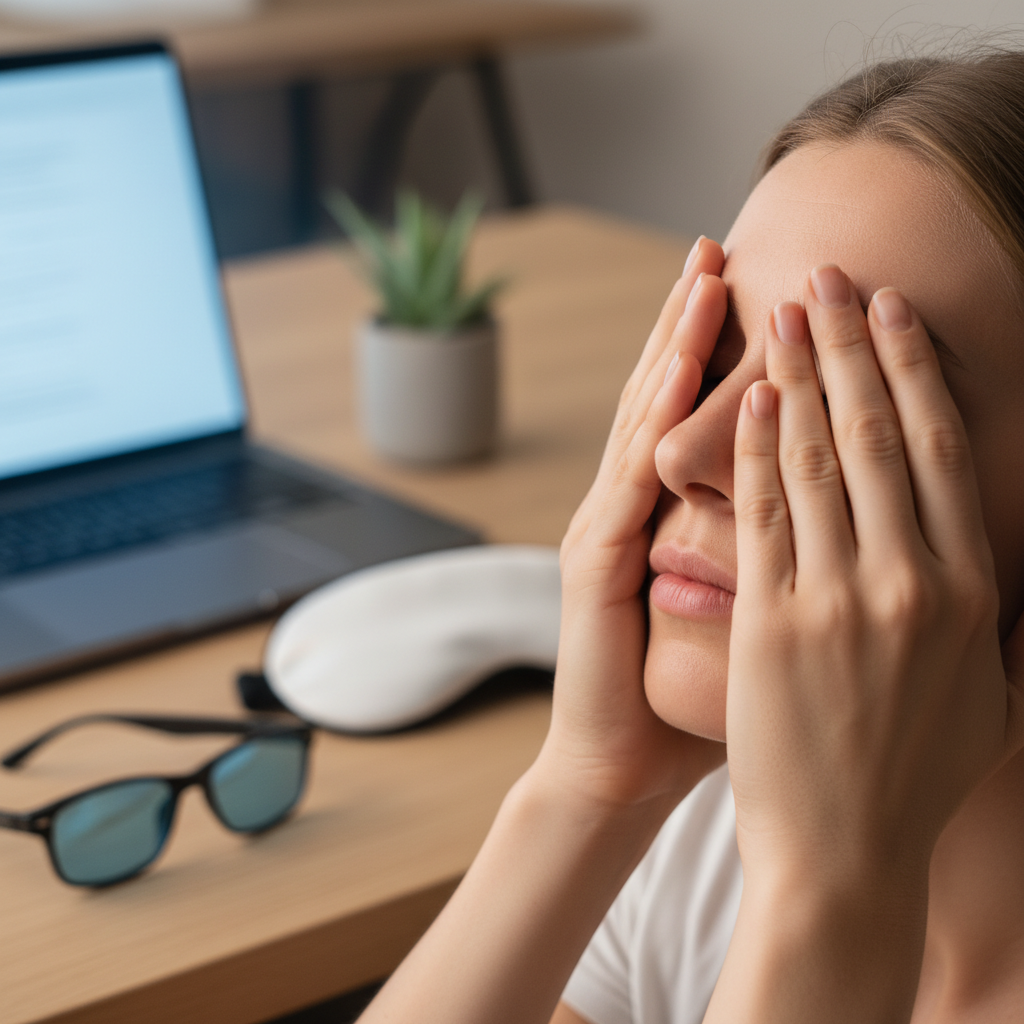
Palming provides complete visual rest while gently warming the eye area to improve circulation. Cup your palms over closed eyes without applying pressure to the eyeballs themselves, ensuring complete darkness. Rest your elbows on your desk and maintain this position for 2-3 minutes while breathing slowly and deeply. The darkness gives your retina a break from constant light stimulation while the gentle warmth from your palms helps relax the small muscles around your eyes. This technique is particularly effective after intense focus sessions or when you notice eye strain symptoms beginning to develop.
Establish Proper Environmental Lighting Balance
Ambient lighting should complement rather than compete with your screen brightness. Position your monitor perpendicular to windows to avoid glare while maintaining natural light in your peripheral vision. Use a desk lamp positioned behind and to the side of your screen to provide indirect lighting that reduces contrast between your bright screen and darker surroundings. Consider bias lighting - a strip of LED lights behind your monitor that provides gentle, diffused light - which reduces eye strain during extended evening work sessions. Companies like Philips Hue offer computer-specific lighting solutions that automatically adjust color temperature throughout the day.
Practice Near-Far Focus Shifts With Specific Targets
Enhance the basic 20-20-20 rule by incorporating specific focus targets at measured distances. Place a small object or text at arm's length, identify a target at 10 feet, and locate a distant object at least 20 feet away. During your breaks, focus sharply on each target for 10 seconds, paying attention to the clarity and ensuring complete focus before moving to the next distance. This progressive focusing exercise strengthens your accommodation system and maintains the flexibility needed for quick focus changes. Keep a small card with text of varying sizes at your desk specifically for these exercises.
Create Movement-Rich Work Intervals Throughout Your Day
Structure your workday with varied visual tasks that naturally encourage different eye movement patterns. Alternate between close computer work, document review at arm's length, and brief walks where your eyes can engage with distant objects and varied terrain. During phone calls, stand and look out windows or move around your space instead of remaining fixed on your screen. Even simple activities like organizing your desk or watering plants provide opportunities for your eyes to focus at different distances and engage in the diverse movement patterns they require for optimal health.
Digital eye strain prevention continues evolving as researchers better understand the relationship between screen technology and visual health. Emerging solutions include specialized computer glasses with targeted blue light filtering, advanced monitor technologies that reduce flicker, and AI-powered software that adapts display settings to your individual usage patterns and circadian rhythms.