How Standing Desk Transition Periods Affect Joint Health and Productivity During the First Month
Emily Rodriguez
04/01/2026
5 min read
Switching to a standing desk feels like the perfect solution for better posture and increased energy, but that first month often brings unexpected aches, fatigue, and productivity dips that make you question whether you've made the right choice.
Your body needs time to adapt to this significant change in work positioning. The joints, muscles, and circulation patterns that have adapted to sitting for hours require gradual conditioning to handle prolonged standing. Understanding how to navigate this transition period protects your joint health while maintaining the productivity gains that drew you to standing desks in the first place.
Start With Short Standing Intervals Throughout Your Workday
Begin with 15-20 minute standing sessions every hour rather than attempting to stand all day immediately. Your feet, ankles, and lower back need time to build the endurance required for longer periods. Set a timer to remind yourself when to sit and stand, treating this like any other fitness progression. The Varidesk Pro Plus and Uplift V2 desks make these transitions smooth with their quick height adjustments. Gradually increase standing time by 5-10 minutes each week, allowing your body to strengthen supporting muscles naturally.
Position an Anti-Fatigue Mat to Reduce Joint Pressure
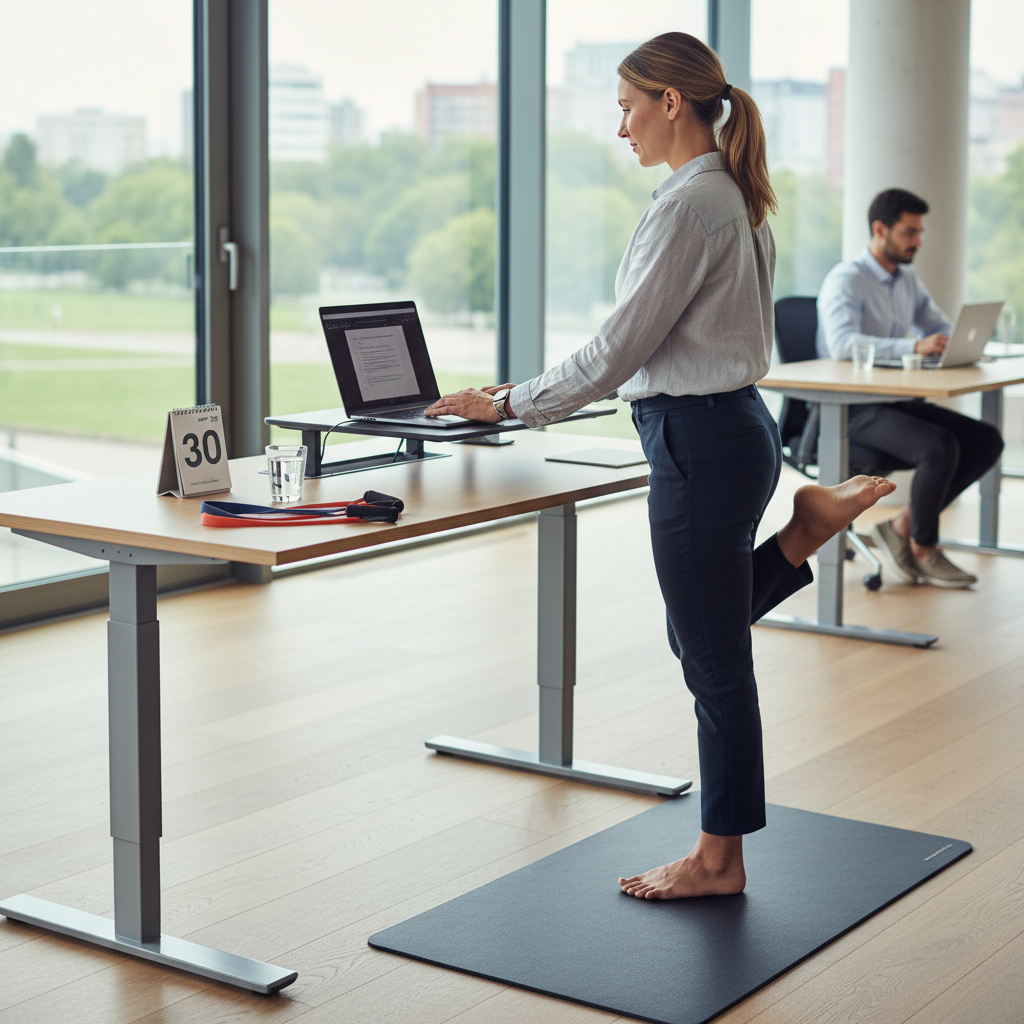
A quality anti-fatigue mat transforms the standing experience by encouraging subtle movements that improve circulation and reduce pressure on your joints. The cushioned surface allows for gentle shifts in weight distribution, preventing the static loading that causes discomfort in your knees and hips. Look for mats with beveled edges and sufficient thickness—around three-quarters of an inch works well for most people. The Topo mat's varied terrain encourages natural movement, while the CumulusPro provides consistent cushioning across its surface. Position the mat so you can easily step on and off as you transition between sitting and standing.
Adjust Your Monitor Height to Prevent Neck Strain
Your monitor positioning needs recalibration when you switch to standing since your eye level changes significantly. The top of your screen should align with or sit slightly below your eye level when standing, requiring most people to raise their monitors considerably from sitting position. This prevents the forward head posture that creates neck tension and headaches during your first weeks. Use a monitor arm like the Ergotron LX or stack sturdy books under your monitor temporarily while you determine the optimal height. Your neck should remain in a neutral position with your chin tucked slightly, not tilted up or down to view the screen.
Incorporate Gentle Movement Every 20 Minutes While Standing
Static standing creates as many problems as prolonged sitting, putting continuous pressure on the same joints and restricting blood flow to your lower extremities. Shift your weight from one foot to the other, do calf raises, or march in place for 30 seconds every 20 minutes. These micro-movements activate your muscle pumps, improving circulation and preventing the pooling that causes swelling and discomfort. Consider keeping a tennis ball under your desk to roll under your feet, or invest in a balance board that encourages subtle movements throughout your standing periods.
Choose Supportive Footwear Designed for Extended Standing
Your regular office shoes likely lack the support needed for standing on hard floors for hours. Switch to shoes with adequate arch support, cushioned soles, and a slight heel-to-toe drop that promotes natural foot positioning. Brands like Allbirds Tree Runners or Cole Haan's Grand series combine professional appearance with the comfort features your feet need during this transition. Avoid completely flat shoes or high heels, both of which can create alignment issues that travel up through your ankles, knees, and hips. Consider compression socks to improve circulation if you notice swelling or heaviness in your legs.
Monitor Your Productivity Patterns and Adjust Accordingly
Track when you feel most alert and focused while standing versus sitting during your first month. Many people find their concentration peaks during shorter standing sessions but wanes as fatigue sets in. Use these insights to plan your standing time around tasks that benefit from increased alertness, such as phone calls, brainstorming, or routine emails. Save complex analytical work for sitting periods until your stamina improves. Apps like RescueTime can help you identify productivity patterns, while simple notes about energy levels throughout the day provide valuable feedback for optimizing your standing schedule.
Address Early Warning Signs Before They Become Problems
Pay attention to persistent pain, swelling, or numbness that doesn't resolve with rest. Lower back discomfort often indicates weak core muscles or poor posture, while foot pain might signal the need for better shoes or a different mat. Knee pain typically results from locked joints—keep a slight bend in your knees while standing. If symptoms persist beyond the first two weeks or worsen over time, consider consulting a physical therapist who can assess your posture and recommend specific exercises. The Herman Miller standing desk accessories include footrests and other tools that can address common discomfort points.
Strengthen Supporting Muscles Outside of Work Hours
Your core, glutes, and calf muscles work harder when standing, and strengthening them accelerates your adaptation process. Simple exercises like wall sits, calf raises, and planks performed for 10-15 minutes daily build the endurance these muscles need. Focus on exercises that improve your posterior chain—the muscles along the back of your body that fight gravity while you stand. Yoga poses like downward dog and warrior III enhance both strength and flexibility in the muscles that support good standing posture.
The standing desk revolution continues evolving with better ergonomic understanding and smarter design features. New models incorporate movement reminders, posture tracking, and even treadmill bases that address the static standing problem. As your body adapts over the coming weeks, you'll likely find the energy boost and posture improvements that initially attracted you to standing desks become sustainable parts of your work routine.